Your calls, recorded and searchable, on your Mac.
Sextant records the calls you choose, writes the transcript with who said what, picks out the decisions and action items, and takes you back to any moment in one click. It all runs on your Mac.
In development, not available yet. For Macs with Apple silicon.
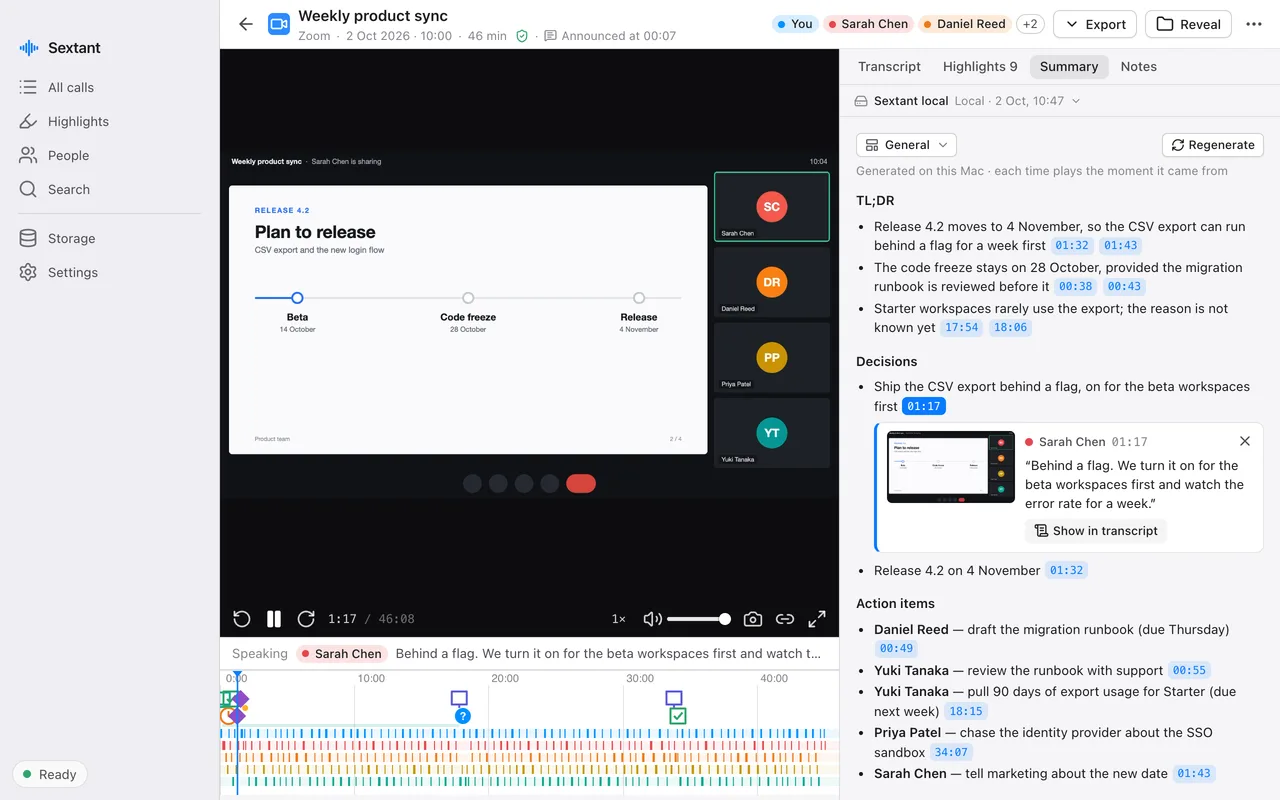
Everything said in a call, kept and easy to find
Sextant keeps the whole call, not only notes about it, so you can always check what was actually said.
The call as you saw it
Who said what
Decisions and next steps
Summaries you can check
Search every call
Your notes, where you keep them
How it works
No bot joins the meeting and nobody has to install anything. Sextant works from your own Mac.
-
A call starts
Sextant notices the call in Zoom, Teams, Slack, a browser or another call app and asks whether to record it. Nothing is captured until you click Record.
-
While you talk
The transcript appears as people speak. Indicators show that your microphone, the call audio and the video are all being recorded. A shortcut marks a moment.
-
When it ends
Your Mac finishes the transcript and the speakers, finds the highlights and writes the summary, at low priority, without uploading anything.
-
Whenever you need it
Open the call, read the summary, search across every call, replay the exact moment, or export it to your notes.
What stays on your Mac
Recording, transcription, summaries and search all run on your Mac. There is one exception, and it is off unless you turn it on.
Always on your Mac
- The recordings: audio and video
- Transcripts, speaker names and voice profiles
- Highlights and their pictures, summaries and your notes
- The search index
Only if you turn it on
Third-party transcription. With your own ElevenLabs API key and after you accept its data notice, the audio of your calls is sent to ElevenLabs to be transcribed. Only the audio, and your vocabulary terms if you have any. Summaries, highlights and search still run on your Mac.
Never
- No telemetry, analytics or usage tracking
- No account and no sign-in in the app
- No bot in your meetings
The app goes online only to download the models it needs, when you ask it to.
Built not to lose a call
A recorder is only useful if the recording is there afterwards. Sextant is built so that it is, and tells you when it is not.
Written as it happens
Problems are shown, not hidden
Light while you talk
Who it is for
- People who spend much of the day in calls and need the decisions and follow-ups, not a recording they never open.
- People who have to be sure what was said, word for word, before they act on it.
- People whose calls cannot go to someone else’s server: client work, interviews, internal matters.
Sextant is in development
It is not on sale yet. The first download, its price and the release notes will be published on this site.